Smart Expense Data Tracking
Upload invoices and photos, AI reads the details. No manual typing, no spreadsheets, just intelligent extraction.
Data entry is tedious
That's why BillKit uses AI to extract everything automatically. So you can focus on growing your business, not data entry.
Manual Entry
Ever face a pile of expenses and dread typing every detail? Vendor names, amounts, dates, tax breakdowns, each invoice demands several minutes of careful manual entry.
Manual expense management doesn't work. It wastes hours you could spend on your business. Cloud solutions promised to help but came with high fees, feature bloat, and required trust with your financial data.
AI Extraction
BillKit processes your invoices automatically using AI. Upload PDFs or photos, and AI extracts vendor details, amounts, dates, and tax details in seconds building accurate expense records without typing.
There are no spreadsheets to maintain and zero manual data entry. Just drag your expenses into BillKit and let AI handle the extraction while you focus your time on the work that really matters.
Pricing: Basic Vs Pro
Start free, stay free. Upgrade to Pro for less than a weekly luxury coffee.
BillKit Basic
BillKit Basic isn't a crippled trial. It's a fully functional expense tracker with sensible limits designed for freelancers and small businesses. Experience everything BillKit offers, upgrade when you need more capacity.
BillKit Pro
Unlock unlimited everything with BillKit Pro. Remove all capacity limits and add professional export features. Everything you need for growing business expense management.
Simplicity by Design
Everything you need, nothing you don't. Expense management without the complexity.
AI Invoice Extraction
Stop typing. Start uploading and get processing.
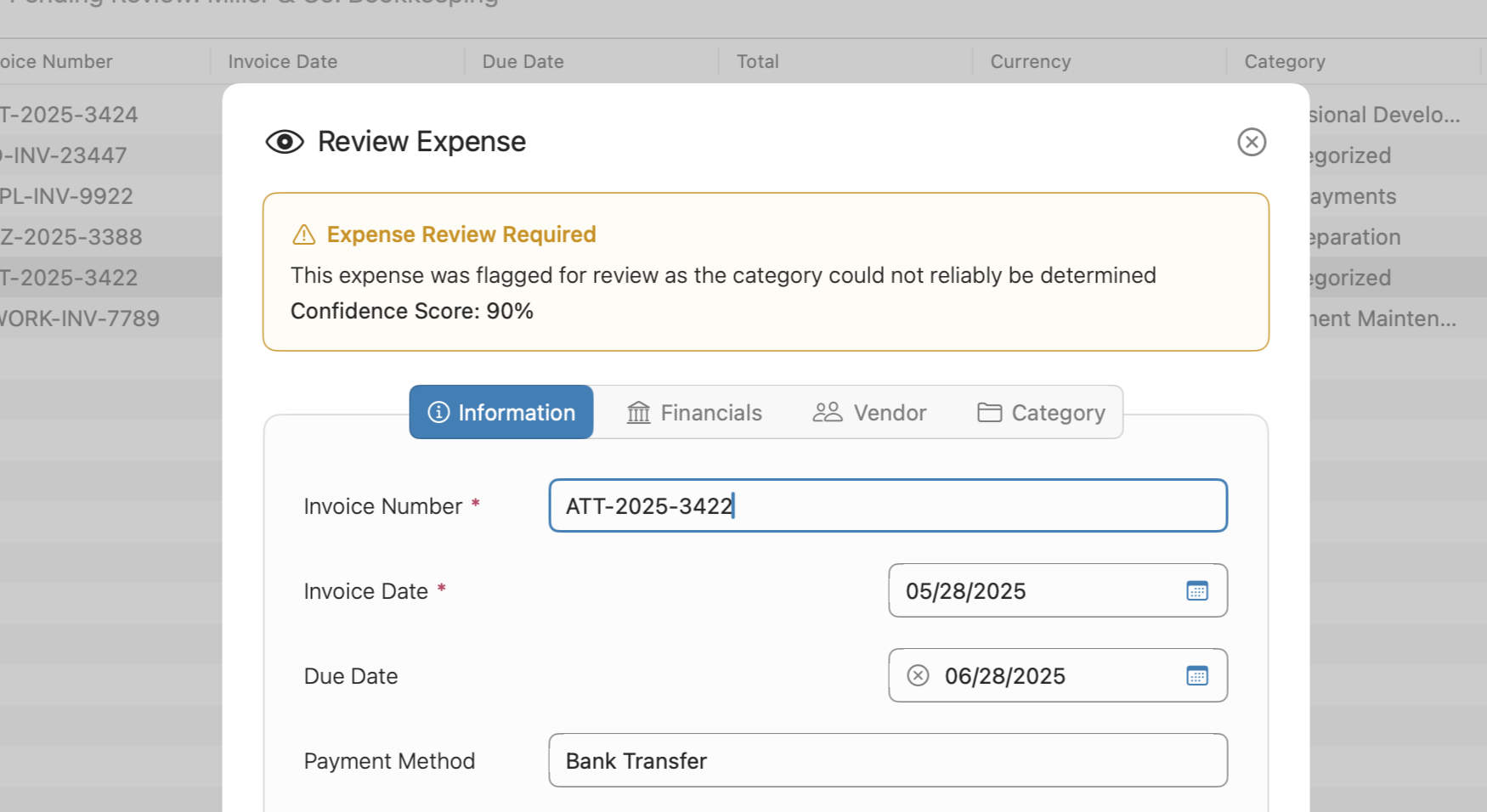
Upload your invoice files (PDFs, photos, scanned documents) and watch BillKit's AI extract every detail automatically. Vendor names, amounts, dates, tax breakdowns, line items, all parsed in seconds.
The AI even provides confidence scores so you know which extractions to double check. It's like having a bookkeeper read your invoices for you, minus the hourly rate.
Visual Dashboard Reports
Know exactly where your budget disappears to.
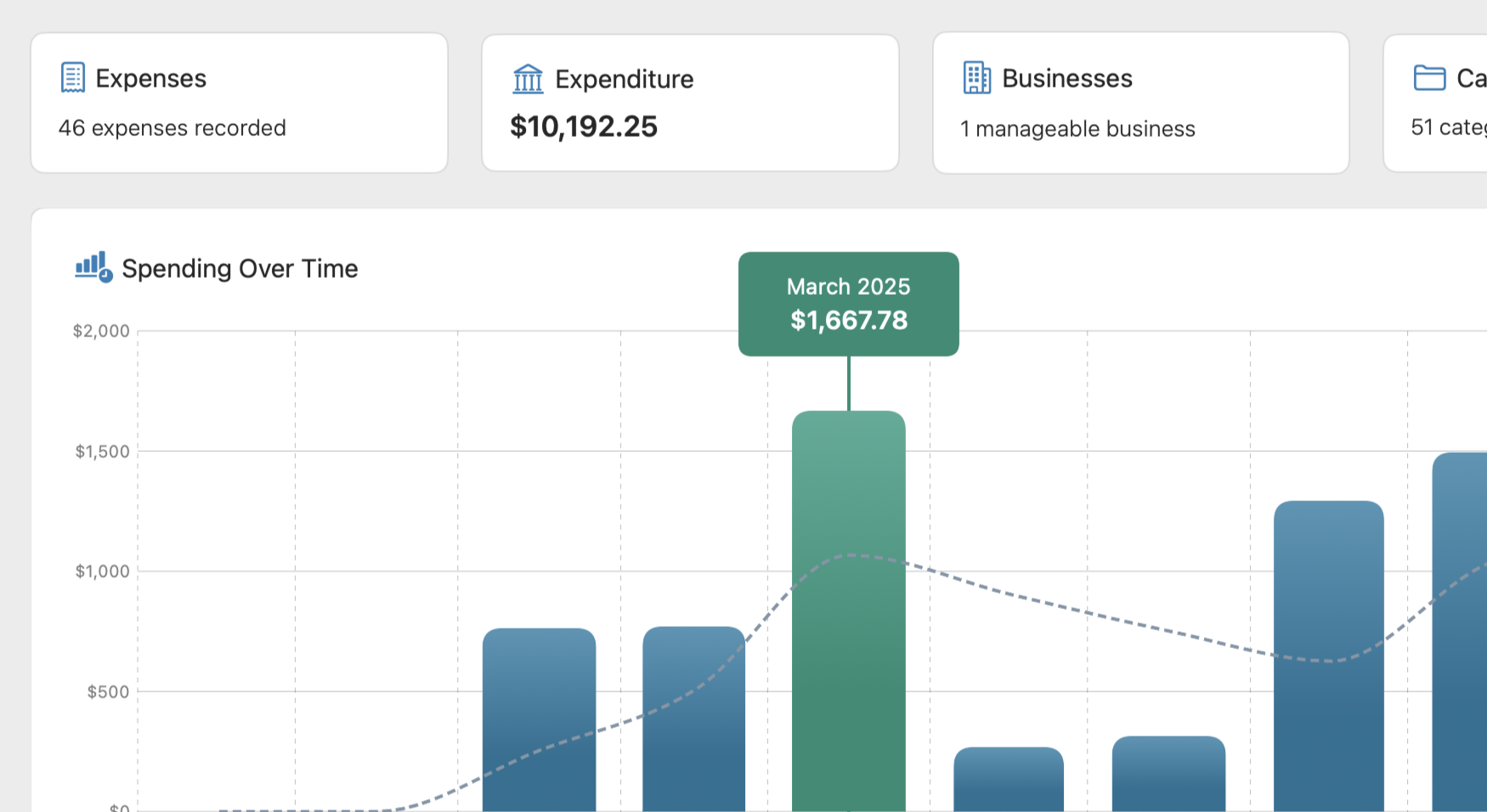
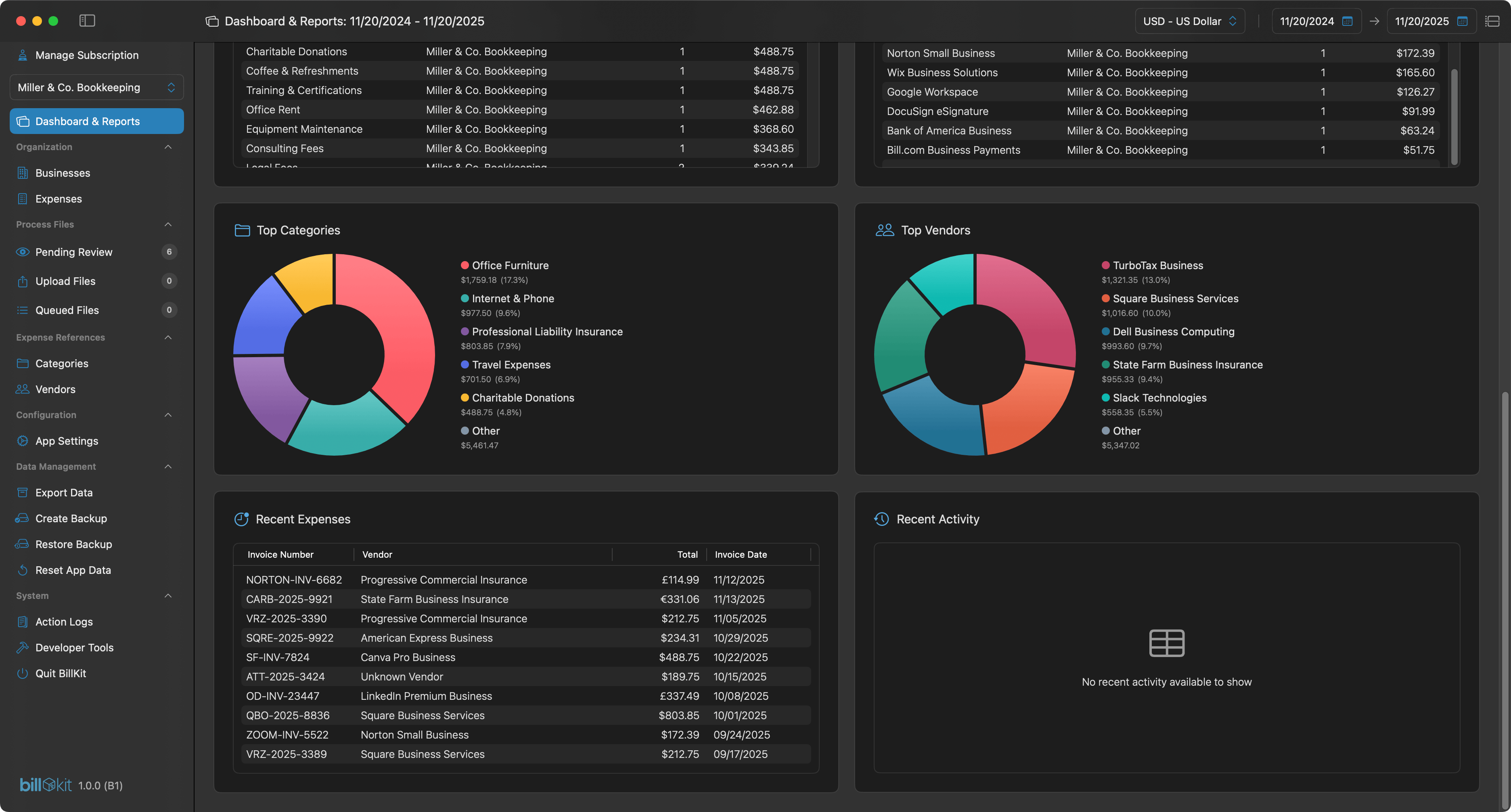
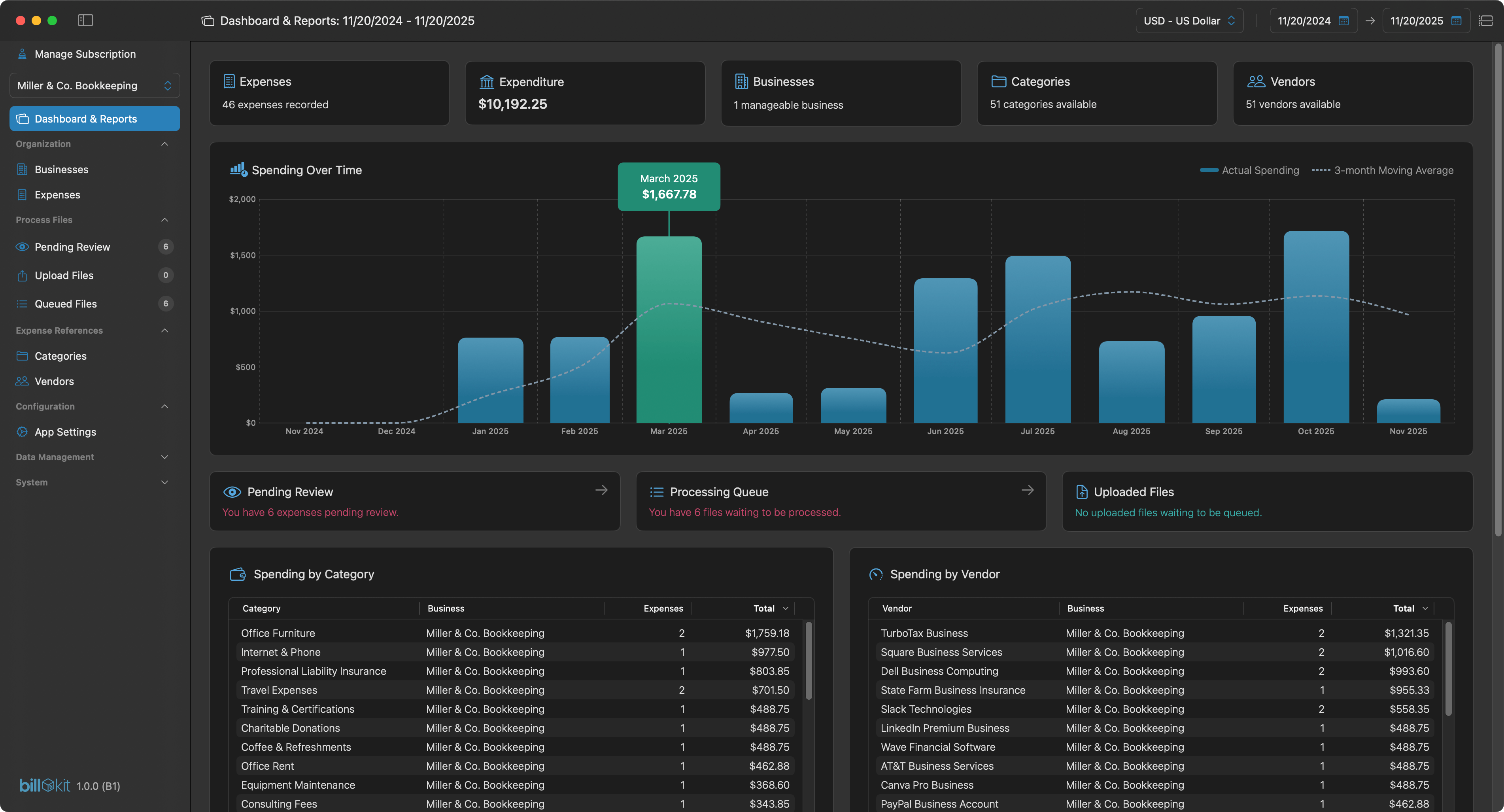
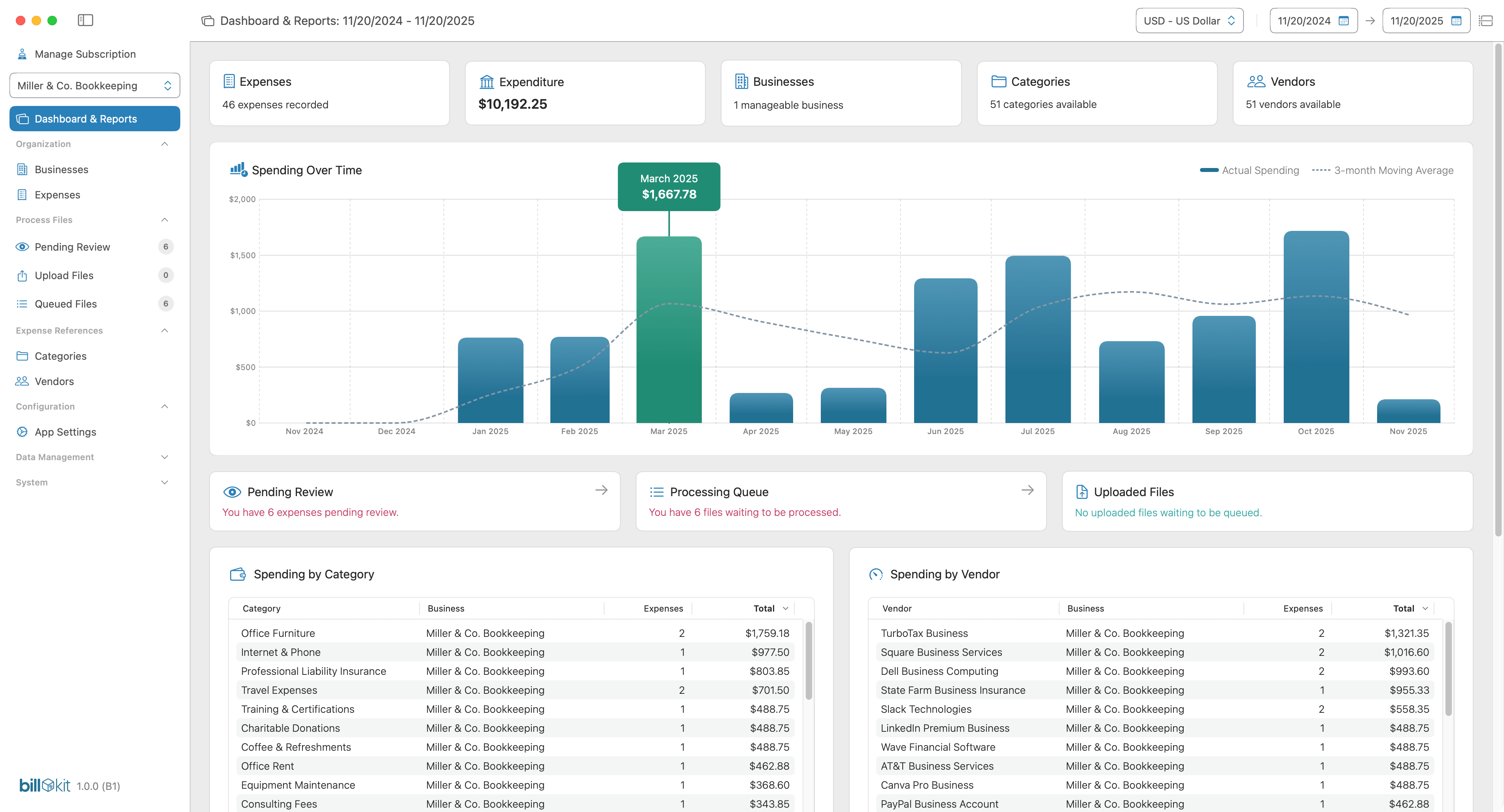
Forget scrolling through spreadsheet rows. BillKit's dashboard shows spending trends over time, top categories eating your budget, and which vendors you're spending most with. Filter by date range and watch the data update instantly.
Every report tells a story about your spending patterns, making it easy to spot problems or opportunities before they become issues.
Multi-Business Management
One app. Multiple ventures. Complete separation.

Managing multiple businesses or client projects? BillKit Pro lets you create unlimited businesses, each with its own categories, vendors, expenses, and invoice files. Switch between them with a click.
Track your consultancy separate from your side business. Keep client A's expenses away from client B's. Everything stays organised, nothing gets mixed up, and tax time is actually manageable.
Multi-Currency Support
Handle international invoices without the currency chaos.
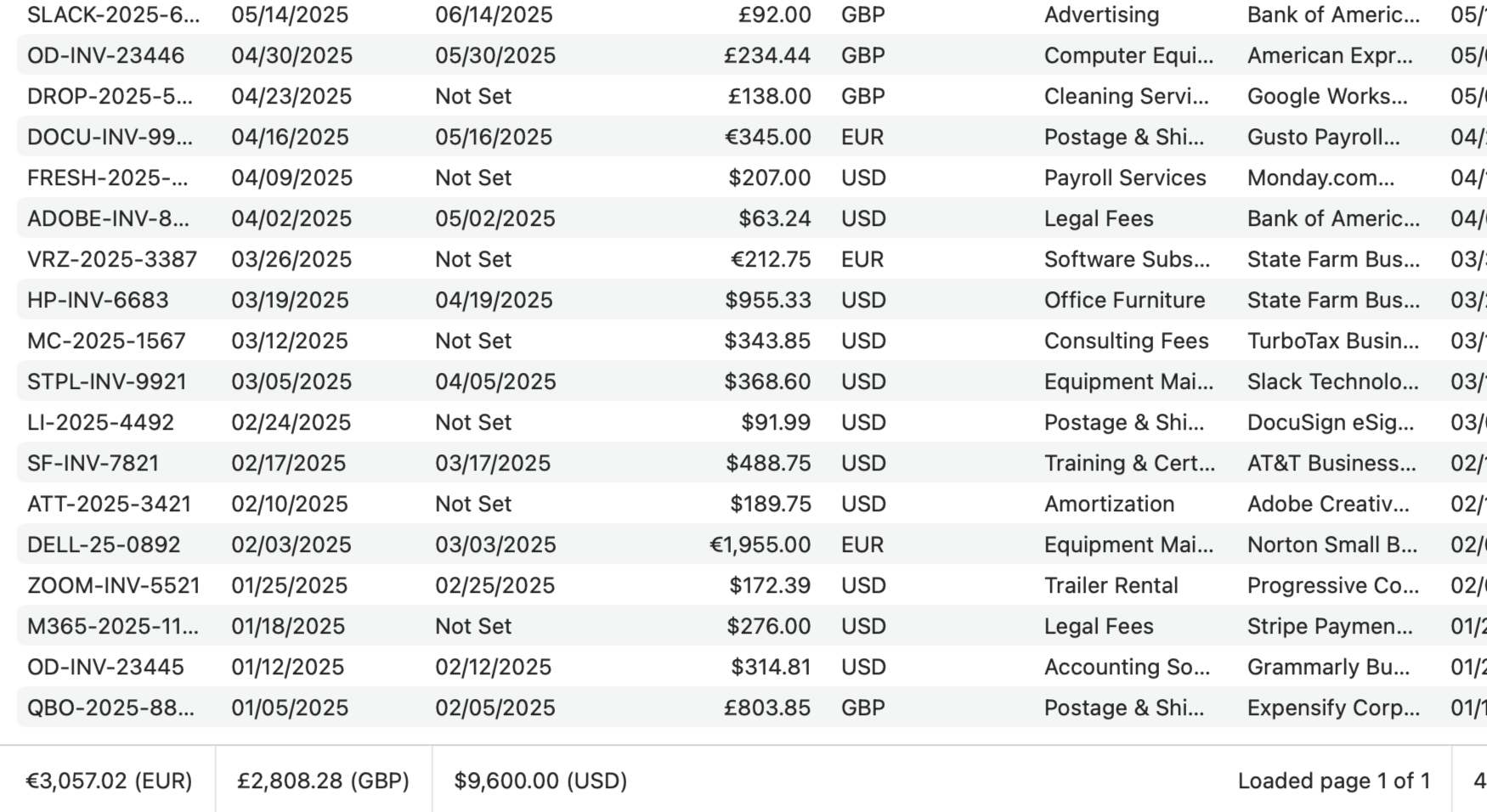
BillKit all global currencies without breaking a sweat. Each expense is stored in its original currency with no forced conversions that mess up your records. Got invoices in GBP, USD, EUR, and JPY? No problem!
BillKit tracks them all separately, keeping your financial records accurate and ready for accounting. Perfect for freelancers with international clients or businesses buying from overseas suppliers who need proper multi-currency expense tracking.
Flexible Export System
Your records. Your rules. Your full control.
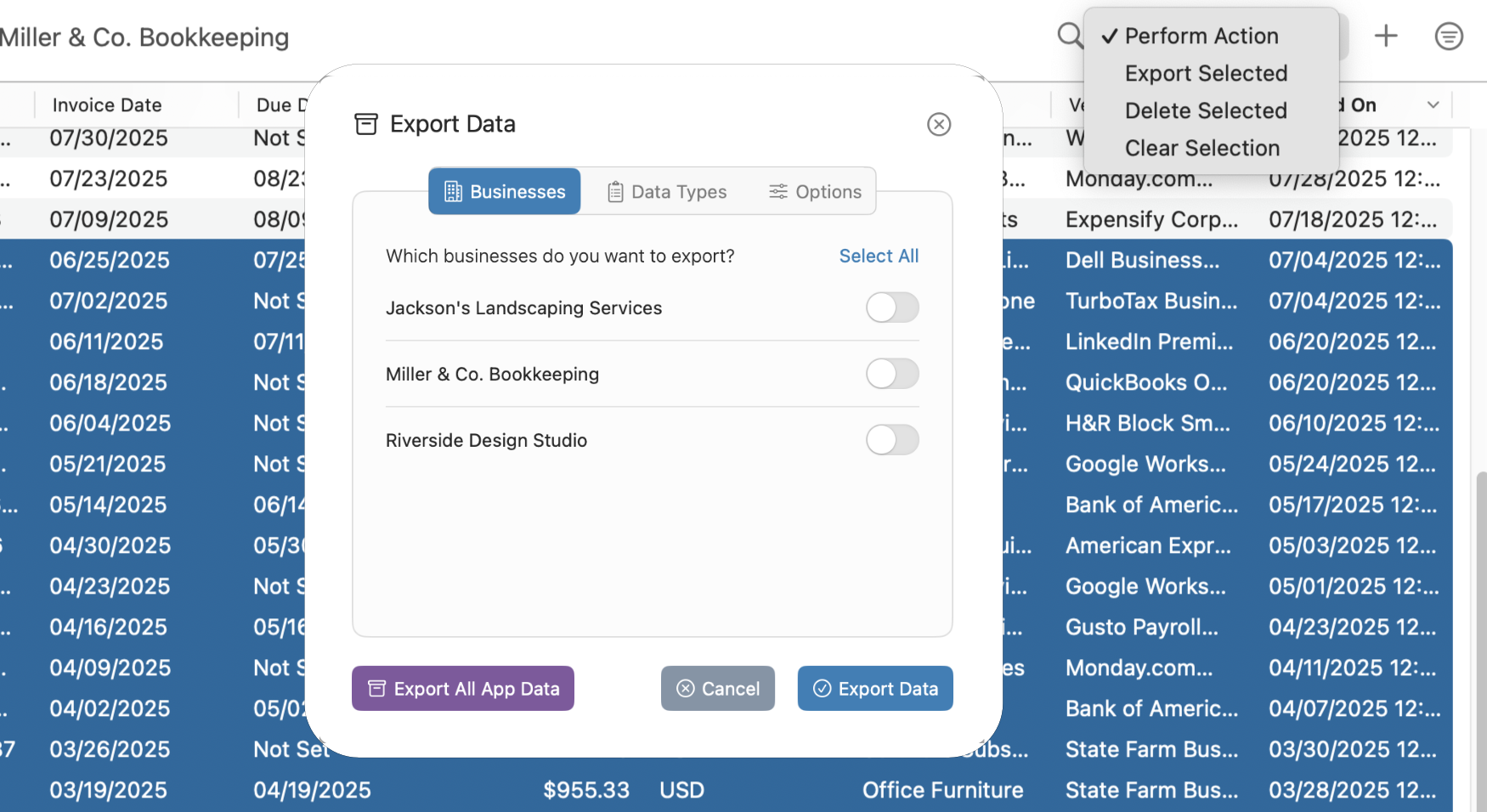
Generate exports with complete control over what goes in them. Choose which businesses to export, what data types to include, and set custom date ranges or export everything at once.
Export in CSV or JSON formats and include invoice files as a ZIP archive or export just the data. Export takes 10 seconds. Having complete ownership of your financial records lasts forever.
Complete Privacy
Your financial data stays on your Mac. Period.
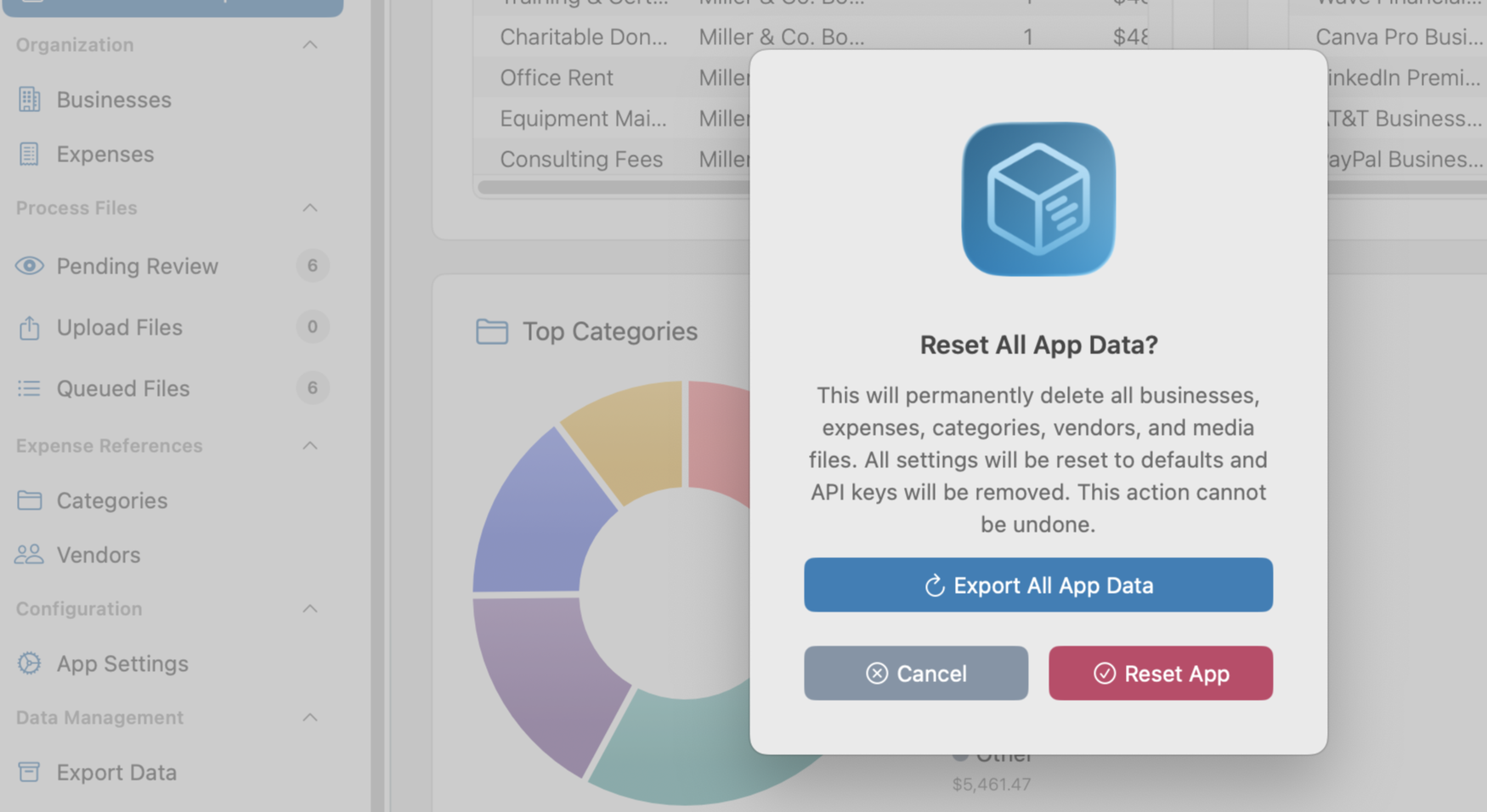
Every expense, every category, every invoice file lives on your Mac, not in some cloud server you'll never see. BillKit stores everything locally using Core Data, giving you complete control over your financial records.
No accounts to create, no servers to trust, no wondering where your data actually lives. Invoice files are sent only to your chosen AI provider for processing, then the data comes straight back to you.
Reclaim Your Weekends.
Automate The Busywork
AI-powered expense tracking for Mac. Upload PDFs and photos, process, done. Start tracking smarter today!
Common Questions
We've got you covered. Quick answers to help you get started.
What is BillKit?
BillKit is AI-supported expense tracking software for macOS that automatically extracts data from your invoice files. Instead of manually typing vendor names, amounts, and dates, you simply upload PDFs or photos and let AI do the heavy lifting.
It's designed for freelancers, sole traders, and small business owners who need efficient expense management without the complexity of enterprise accounting software.What do I need to get started?
You'll need a Mac running macOS 14.6+ (Sonoma) or later, about 500MB of free disk space. While you can add expenses manually, you'll need an API key from either Claude (Anthropic) or OpenAI to use AI powered invoice data extraction features.
Both providers offer free credits when you sign up, so you can test BillKit's AI invoice processing without any upfront costs. Setup takes about 5 minutes.
How much does BillKit cost?
BillKit's Free tier is genuinely free forever - no credit card required, no surprise charges, no trial period that expires. You get 1 business, 10 vendors, 5 categories, and 25 expenses per month.
Great for freelancers and small business owners. When you need more capacity, BillKit Pro offers unlimited everything with monthly billing at £2.99 per month.
Can BillKit process multiple invoices?
Yes! Upload multiple files to BillKit's queue and process them all at once OR one by one - your choice! Perfect for month-end bookkeeping sessions when you have a stack of invoices waiting.
Just drag and drop all your files, and let AI work through the batch. You'll see them get processed in real-time. If any fail, you can retry them again anytime.
How much does AI processing cost?
AI processing is pay-as-you-go through your provider (Claude or OpenAI). Each invoice typically costs £0.01-£0.02 to process, depending on file size, number of invoice pages in the file and it's complexity.
For 50 invoices per month, expect £0.50-£1.00. Both providers offer free credits when you sign up, giving you plenty of runway to test BillKit before paying anything.
Does BillKit integrate with Xero or QuickBooks?
Not directly, but BillKit exports all your data to CSV and JSON formats that accounting software can import. Export your expenses, categories, and vendors with all details and import the files into any accounting platform that accepts CSV formats.
Due to the number of accounting platforms globally, you may need to map the columns to match your accounting software's import requirements manually.
What reporting does BillKit have?
BillKit's dashboard shows spending trends over time, top categories by amount, top vendors by spend, and recent activity. Filter by date range (last 7 days, fiscal year, custom periods) and currency to analyse exactly what you need.
For deeper analysis, you can export all your data to CSV or JSON and create custom reports in Excel or Google Sheets.
Does BillKit store data in the cloud?
No. BillKit is a fully local macOS application. Everything stays on your Mac: the database, invoice files, categories, vendors, and settings.
This gives you complete control and eliminates concerns about data breaches, third-party access, or subscription-dependent data access. Your data is yours, period.
Have a question not answered here? Try our other help sections below.
Also by CodelDev
More apps from the maker of BillKit. Focused tools without the bloat

Exoden: Invertebrates Manager
Manage your Invert collections with ease. A simple and secure invert management system for hobbyists and collectors.
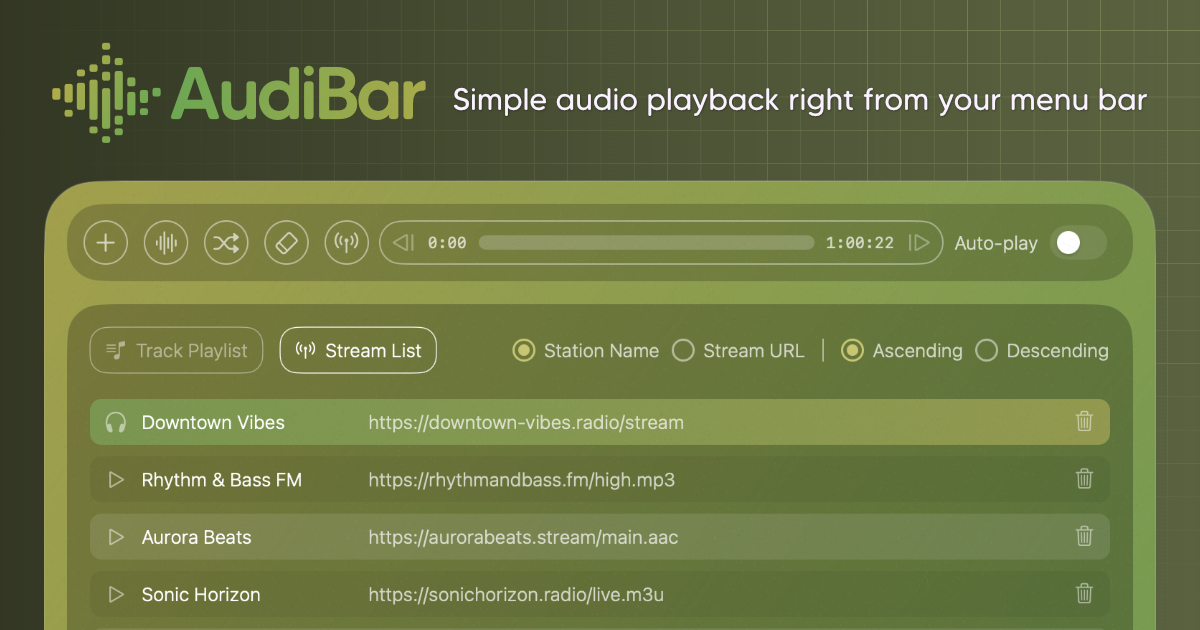
AudiBar: Simple Audio Playback
Play audio files & live streams directly from your menu bar, keeping your desktop clean with playlists when needed.
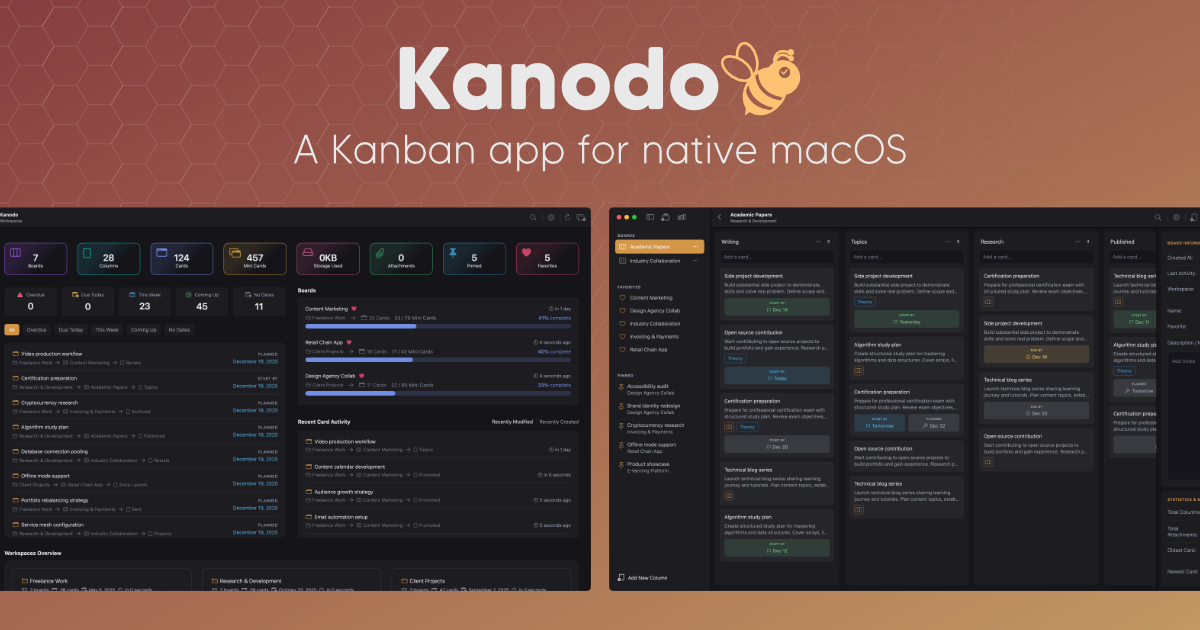
Kanodo: Cards Uncaged
Finally, Kanban that feels right. No more modals blocking your view. Open cards side by side, the way you think.
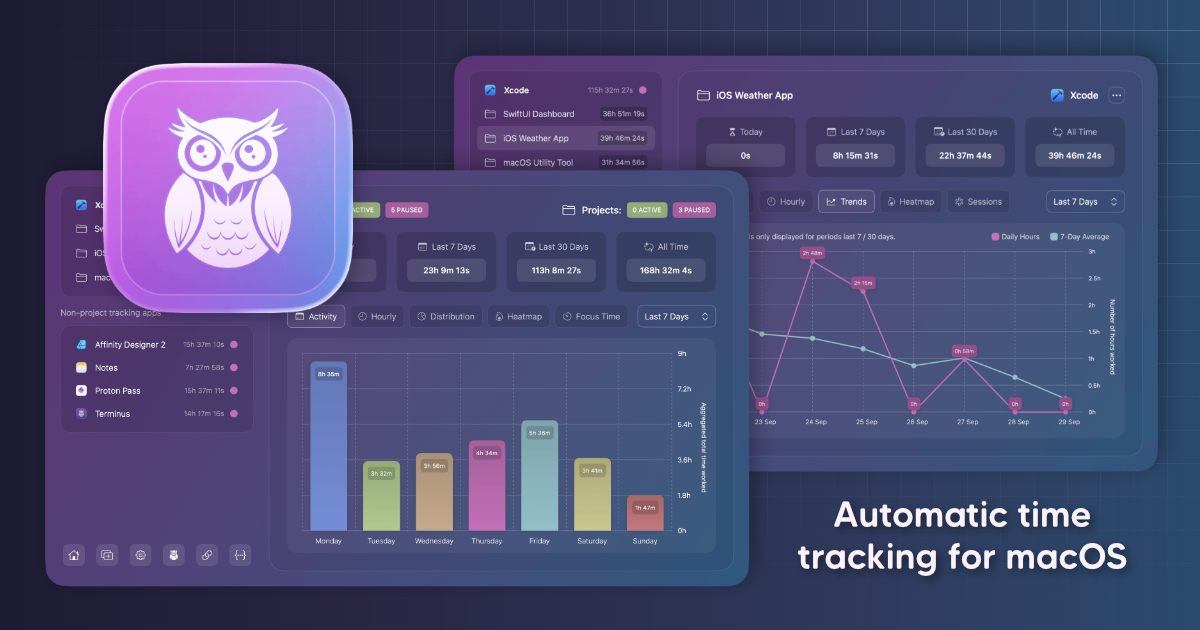
Chronode: Effortless Time Intelligence
Track your time by app or project automatically. No timers, no buttons, just open any app and work as normal.